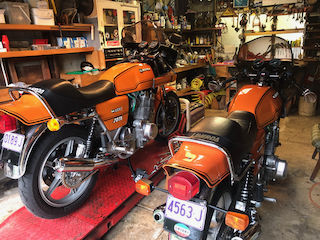
Cant post pics

T.C

Hero member
Location
Avalon
I know there has been many posts on this and apologies for asking the same old questions...
When I try and post a pic, even though I have reduced it in size to 200 odd mega bites, I get a message that my pic has failed some
sort of security clearance and I need to contact the administrator?
Hence my post...
Thanks in advance to all.
Cheers
Tom
 
Haven't had that problem, Tom. I used to get the old 'too big' one, but since downsizing pics by taking and emailing via my iPhone, no more too bigs. Maybe you're being diverted to a Guinean extortion site or summit?!!  :D
 
Piranha Brother 2 said:
Haven't had that problem, Tom. I used to get the old 'too big' one, but since downsizing pics by taking and emailing via my iPhone, no more too bigs. Maybe you're being diverted to a Guinean extortion site or summit?!!  :D
Yeah i had those thoughts, it says contact the administrator, havnt been able to post pics for ages.
Im thinking Winnie the Pooh has something to do with it...

https://youtu.be/l0Npdhst-qk

 
Tom - this is nothing to do with image size.  The software checks uploads for malicious code and that's what it thinks it has found.  If you want to email me the image you're trying to upload, I'll investigate further
 
Thanks for that, its not one image, its any image,
Having resized them to below 300KB
Ill try to email you a pic
Cheers
Tom
 
TC said:
I know there has been many posts on this and apologies for asking the same old questions...
When I try and post a pic, even though I have reduced it in size to 200 odd mega bites, I get a message that my pic has failed some
sort of security clearance and I need to contact the administrator?
Hence my post...
Thanks in advance to all.
Cheers
Tom
You'll get there eventually but be aware that this site is the worst for posting pictures on the entire internet.
 
Try this. Go to BYTE N bit  https://app.bytenbit.com/index.html

Go to Google pictures.
Do a share on the picture you want to post from Google. The sideways Y up at the top right shadow options. Do the share and then "share link" and the do the copy link on Google photo
Paste the copy link of your Google photo in the BYTE N app. Click submit
You now get an "image link" that works fine on the forum.

qo5M7fomMEri5PDX2bwBtOG_HJTN7mSPLCWw6g-dfsiAc1eaGjm3l5dLJ2jLmDcSMTasifA5WgRQ-as3ErMttLlRdRO0B3ESM-_6wB1aSihWv55-Bf5j5EDAoyd1znAj_huXs1h_8A


Hi Tom

It is a pain in the ass for sure.

Another way..... I use a Flickr account for my forum posts pictures. It is limited to 1,000 pics on the free jobbie (but if you run out, just open another flickr account).

On a PC, the flickr app gives you a string of text that you just copy into your post.  If you do it via phone that is more problematic with flickr.

In your post you have then referenced the picture, and it appears, rather than including the pic in the post.

Maybe you knew all of that? If you are interested, I can walk you through it. Even easier than resizing and posting.

Paul
 
Ignore - I'm just having a play with Rusty's method...

L4wWEMQRX4NNGsXZ_0inyReG3kiq1n7bO5ikHWJH29fej3uZFIG6eKSWeq_jX1oVMXK-D9wFYawcHfwpYHSWHA9RHHxEbGrmNpfkFRFzB510nMgku-D_EpcWvK1BqOgvu9frTX5d-A


Edit: It works! Thanks Mr. Spokes  :)

Maybe one of the advantages of the Flickr method is you can control the size of the pic that appears.
 
Thanks to Paul , Rusty and Rob, i think Ill have to resign myself to the fact that i know fuck all about computers after all.
I dont have google photos, just I photo on a simple apple which untill a short while ago i was able to post pics from.
Maybe when my IT mate Nick drops round he can help me out....Nick....
Thanks again will try once more and see.
 

Attachments

  • IMG_0354.png
    IMG_0354.png
    190.5 KB · Views: 76
Ok, so it seems Rob has removed the whatever it was that was thinking my pics were a threat,Thanks Rob, awesome, now will try and make the pics clearer and bigger.
Thanks all
Ciao
Tom
 
Hi Tc, I run Mac as well.  I drag my photo to the desk top from iPhoto . Then I double click to open and it opens in finder. I re size from there by clicking on tools.  I too frequently get messages that I can?t upload. Not sure if that will help or if that has been how you upload.
 
Back
Top